
TL;DR

Get baking supplies delivered free — and shop member deals
- Fast, free delivery on millions of items
- Access to Prime Big Deal Days deals on October 6–7
- Prime Video, Amazon Music and more included
Building your own AI workstation used to be cheaper, but in 2026, prebuilt systems often match or beat DIY costs thanks to component shortages and bulk buying. The choice now hinges on how much time, control, and support you need, not just dollars.
Imagine this: you need a powerful AI workstation to run local LLMs, train models, or generate images. Do you roll up your sleeves and build it, or buy a ready-made system that’s ready to go? That question just got more complicated in 2026. The old rule — build cheaper, buy faster — no longer holds true. Thanks to supply chain issues and bulk buying, prebuilt systems often cost as much or less than DIY. This isn’t just about saving time; it’s about making smarter choices around performance, support, and long-term costs. Here’s what you need to know to make the right move for your AI needs.
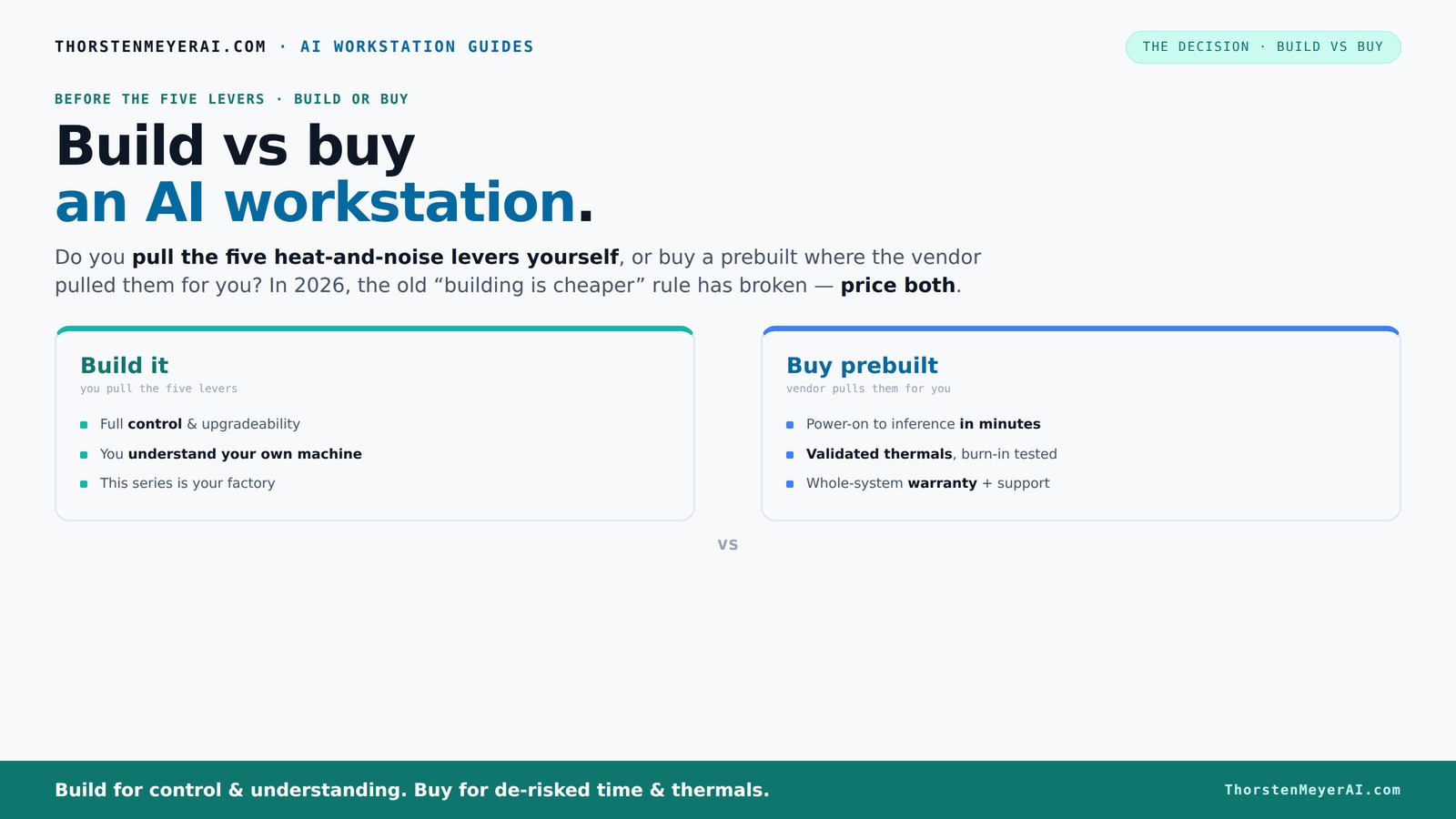
Build vs buy
an AI workstation.
The real question behind this whole series: do you pull the five heat-and-noise levers yourself, or buy a prebuilt where the vendor pulled them for you? And in 2026, the old “building is cheaper” rule has broken. Match your situation in Part 3.
Key Takeaways
- In 2026, component shortages and bulk buying mean prebuilt AI workstations often match or beat DIY costs, shifting the traditional advantage.
- Building offers full control over hardware, cooling, and customization, ideal for niche workflows or specific performance needs.
- Prebuilts save time, include validated thermals, and come with support, making them perfect for fast deployment and less hassle.
- Hybrid approaches blend the benefits — purchase a core system and upgrade selectively for customization.
- Always compare total cost of ownership, including support, troubleshooting, downtime, and future upgrades, not just the initial price.
As an affiliate, we earn on qualifying purchases.
Why Building Your Own AI Workstation Is Still a Good Idea
If you love tinkering and want full control, building your own machine remains a solid choice. You pick every component — from the GPU to the cooling system — ensuring it matches your exact needs. For example, if you’re doing specialized model training and need a GPU with 48GB of VRAM, DIY lets you customize that without compromises. Beyond customization, building your own system allows you to understand its inner workings deeply. This knowledge can be invaluable when troubleshooting unexpected issues or planning future upgrades, ultimately saving you time and money in the long run. However, it's essential to weigh this against the time investment and potential for errors, especially with high-end components. The tradeoff is mastery and tailored performance versus convenience and risk mitigation.
As an affiliate, we earn on qualifying purchases.
Who Should Buy a Prebuilt AI Workstation? When Speed Saves the Day
If your priority is getting up and running fast, prebuilt systems are your best bet. They come preconfigured with tested hardware, optimized thermals, and often include support and warranties, reducing the risk of costly mistakes. For instance, vendors like Lambda or BIZON perform extensive testing, ensuring the system can handle long training sessions without thermal throttling or hardware failures. You can explore similar options at trucktasting.com. This reliability minimizes downtime, which is critical when deadlines loom or when you need immediate productivity. For professionals who prefer to focus on AI work rather than hardware tinkering, the convenience of a prebuilt system translates into more time spent on actual development and less on troubleshooting. The tradeoff here is sacrificing some customization for peace of mind, speed, and support — vital factors in a fast-paced environment.
As an affiliate, we earn on qualifying purchases.
Compare the Costs: Build vs. Buy in 2026 — The Surprising Reality
In 2026, the traditional wisdom flips. A typical DIY build, once under $1,000, now costs upwards of $1,250+ because of GPU shortages and rising component prices. However, the actual costs are more nuanced than just parts; time and potential troubleshooting add significant value to this equation. Prebuilt systems from bulk buyers can be priced competitively, sometimes even cheaper when you account for the cost of assembling, testing, and troubleshooting a DIY build. Moreover, prebuilt systems often include warranties and support, reducing the risk of costly downtime. Therefore, when comparing costs, it’s crucial to consider total ownership — including the time spent on assembly, potential errors, and support costs — which can tip the scales in favor of prebuilt systems despite seemingly higher initial prices.
| Feature | Build | Buy |
|---|---|---|
| Cost | $1,250+ (parts + tools + time) | $1,200–$1,500 (preconfigured, support included) |
| Time to Ready | Several hours to days | |
| Support & Warranty | DIY troubleshooting; limited warranty | Vendor support, warranty up to 5 years |
As an affiliate, we earn on qualifying purchases.
The Heat & Noise Battle: Who Pulls the Levers?
Managing heat and noise is a core part of running a high-power AI workstation. When you buy, the vendor pulls all the levers — they validate thermals, tune fans, and often include water-cooling for quieter operation. This ensures the system remains stable during intensive tasks, preventing thermal throttling that can hamper performance or cause hardware degradation over time. To learn more about thermal management, visit tinycooklab.com. For example, BIZON systems promise up to 30% lower noise levels with tested cooling solutions, which can be crucial in noise-sensitive environments. When you build, you take on the entire thermal management process yourself — selecting components, designing airflow, undervolting GPUs, and fine-tuning fan curves. This offers the potential for quieter operation and better thermal performance if done correctly, but it requires expertise and time. The choice depends on whether you want to master thermal management or prefer a turn-key solution that just works out of the box, with predictable noise and thermal profiles.
Hidden Costs and Common Mistakes You Must Watch For
Many overlook the deeper implications of DIY builds, especially the hidden costs that can escalate unexpectedly. For more insights, see caffeina.org. Compatibility issues, such as mismatched power supplies and high-wattage GPUs, can cause delays or even hardware damage if not carefully managed. Troubleshooting BIOS or driver conflicts can consume significant time, often requiring technical expertise that not all users possess. Ongoing maintenance — like replacing thermal paste, upgrading outdated components, or fixing cooling issues — adds recurring costs that are often underestimated. These hidden costs don’t just drain your budget; they can also introduce delays, reduce system reliability, and diminish overall productivity. In contrast, prebuilt systems typically include comprehensive support and warranties, minimizing these risks. Recognizing these hidden costs helps you make a more informed decision, avoiding the trap of focusing solely on initial price without accounting for the total cost of ownership — including time, effort, and potential downtime.
Hybrid Approaches: The Best of Both Worlds in 2026
More users are choosing hybrid setups to balance control, cost, and speed. Learn about options at bestofculinary.com. This approach involves purchasing a preconfigured, reliable core system and then upgrading or customizing specific components — like adding extra RAM, installing a high-end GPU, or integrating advanced cooling solutions. The benefit is that you start with a tested, stable platform, reducing the risks associated with full DIY builds, while still achieving tailored performance. This method allows you to optimize for your unique workload, such as expanding memory for large datasets or installing specialized cooling for quieter operation. Hybrid solutions are particularly appealing in 2026 because they offer a practical middle ground — you get the assurance of professional validation combined with the flexibility to personalize key aspects without the complexity of building from scratch. The tradeoff is that this approach might involve additional costs upfront, but it often results in a more reliable and faster deployment.
When Your Use Case Dictates the Best Choice
Understanding your specific workload is critical in choosing whether to build or buy. For local LLM inference, a prebuilt system with validated thermals and optimized configurations can save you substantial setup time and reduce troubleshooting. Conversely, for custom model training that demands specific hardware configurations, building offers the flexibility to tailor every component — from memory capacity to GPU specifications — ensuring maximum performance for your particular task. For example, if you’re fine-tuning a model with high VRAM requirements, DIY allows you to select the exact GPU with the needed memory, potentially improving training speed and stability. Ultimately, the decision hinges on your priorities: if rapid deployment and support are paramount, buy; if customization and learning are your goals, build. Recognizing the nuances of your use case ensures you allocate your resources effectively and avoid unnecessary compromises.
Frequently Asked Questions
Is it cheaper to build or buy a prebuilt AI workstation?
In 2026, component prices and shortages have made prebuilt systems often cost the same or less than DIY builds. The true difference lies in time, effort, and support — buying saves hassle, building offers customization.
How much performance do I lose with a prebuilt system?
Typically, you don’t lose performance if you buy from reputable vendors. Many prebuilt systems are validated for thermal and power efficiency, often running cooler and quieter than DIY setups. For niche requirements, DIY can still optimize performance further.
Can I upgrade a prebuilt workstation later?
Most high-quality prebuilt systems allow upgrades like adding more RAM, swapping GPUs, or expanding storage. However, some designs limit certain components, so check the upgrade path before purchase.
When does building make more sense than buying?
If you have specific hardware needs, enjoy hardware tinkering, or want to stretch your budget by customizing every detail, building is the way to go. It’s also preferable if you want full control over cooling, noise, and component choices.
What hidden costs should I watch out for in DIY builds?
Incompatibility issues, troubleshooting time, ongoing maintenance, and potential delays can add up quickly. These hidden costs often outweigh initial savings, especially if you lack extensive hardware experience.
Conclusion
Choosing between build and buy isn’t just about dollars anymore — it’s about what works best for your project timeline, control needs, and risk appetite. In 2026, the smart move often combines speed, support, and tailored performance. Think about your workflow, then pick the path that keeps you focused on AI instead of hardware headaches.
Remember: your ideal workstation isn’t just a machine — it’s a strategic tool that shapes what you can achieve. Make the choice that frees you to innovate, not get bogged down in setup.
Halloween Picks
halloween
As an affiliate, we earn on qualifying purchases.