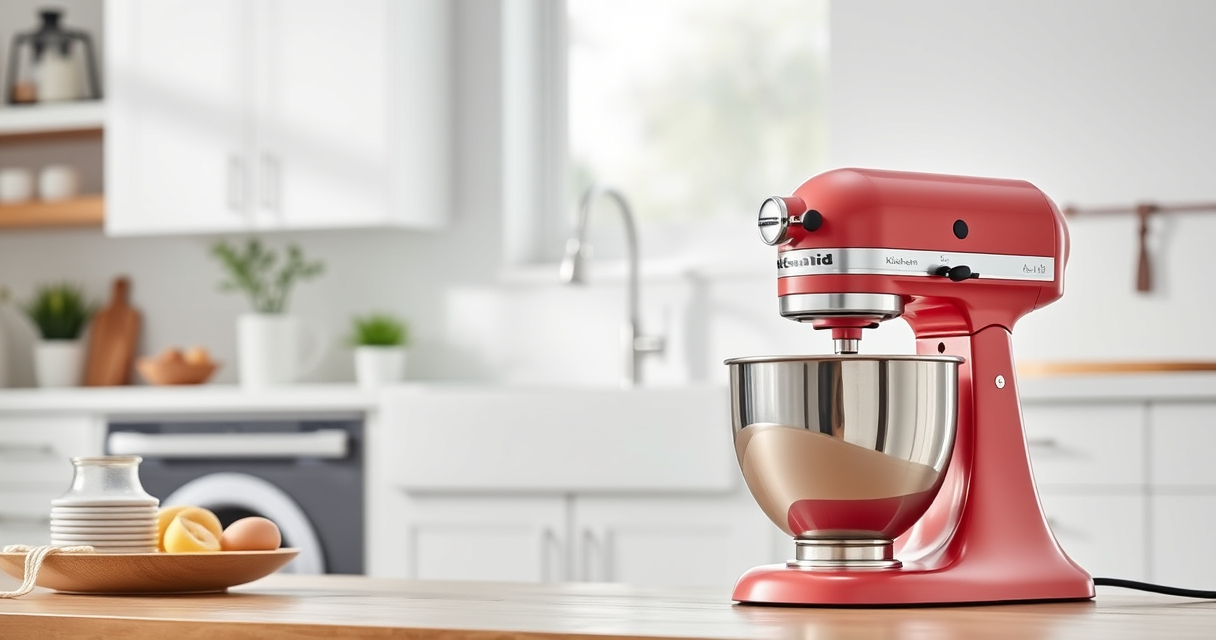

Unboxing a new KitchenAid Artisan Series 5 Quart Tilt Head Stand Mixer is exciting, but proper setup ensures you get the best performance and longevity from your appliance. This guide walks you through the essential steps to assemble, attach accessories, and troubleshoot common issues, making your baking and mixing tasks easier and safer.

Get baking supplies delivered free — and shop member deals
- Fast, free delivery on millions of items
- Access to Prime Big Deal Days deals on October 6–7
- Prime Video, Amazon Music and more included
Whether you’re a beginner or experienced user, following these clear instructions helps you maximize your mixer’s capabilities and avoid common pitfalls. Let’s get started with a practical, step-by-step setup process.
Key Takeaways
| Easy Assembly | Simple steps to assemble your mixer and attach accessories. |
| Safety First | Proper handling and safety tips for long-term use. |
| Accessory Compatibility | How to connect and use various attachments. |
| Troubleshooting Tips | Common issues and quick fixes. |
| Maintenance Advice | Cleaning and caring for your mixer. |
Unboxing and Initial Inspection
- Carefully unpack the KitchenAid Artisan Series 5 Quart Tilt Head Stand Mixer from its box. Remove all packaging materials and protective film.
- Inspect the mixer for any visible damage or missing parts, especially the tilt head mechanism and the bowl.
- Locate the stainless steel bowl, flat beater, wire whip, and dough hook, which come with your mixer. Confirm that all parts are included and in good condition.
- Read the user manual to familiarize yourself with the components and safety warnings. Keep it handy for reference during setup and use.
Assembling the Mixer and Bowl
- Place the mixer on a stable, flat surface away from water or heat sources.
- Lift the tilt head by pressing the tilt release lever and gently tilt it back to access the bowl area.
- Insert the stainless steel bowl onto the base, aligning the tabs with the slots. Twist or press down gently to lock it into place.
- Lower the tilt head securely until it clicks into position, ensuring it is locked before use.
Attaching and Using Accessories
Your KitchenAid Artisan mixer comes with a flat beater, wire whip, and dough hook. To attach an accessory:
- Ensure the mixer is off and unplugged.
- Lift the tilt head and remove any attached accessory.
- Align the accessory’s hub with the power shaft inside the attachment hub on the mixer head.
- Twist or push the attachment into place until it clicks securely.
For best results, use the flat beater for batters, the wire whip for whipping cream or egg whites, and the dough hook for bread or heavy doughs.
Adjusting Speed and Operating Safely
Set the speed dial according to your recipe. The KitchenAid Artisan offers 10 speeds, from stir (speed 1) to high-speed whipping (speed 8).
- Start at the lowest speed to prevent splatters when adding ingredients.
- Gradually increase the speed as needed.
- Never operate the mixer while the attachment is not properly attached or if the head is unlocked.
Always keep your hands clear of moving parts, and unplug the mixer before cleaning or changing attachments.
Troubleshooting Common Issues
- Mixer not turning on: Check that the power cord is plugged in and the outlet works. Ensure the tilt head is securely latched.
- Attachments not spinning: Confirm they are properly connected and engaged.
- Unusual noises: Make sure the attachments are correctly fitted and not damaged.
- Motor overheating: Allow the mixer to rest if used continuously for long periods. Avoid overloading the bowl with excessive ingredients.
The Products in This Guide

KitchenAid Artisan Series 5 Quart Tilt Head Stand Mixer
- ✔ Weight: 26 pounds
- ✔ Voltage: 120V
- ✔ Warranty: 1 year

KitchenAid Stand Mixer Attachment
- ✔ Weight: 4 pounds
- ✔ Dimensions: 10 x 8 x 6 inches
- ✔ Warranty: 1 year
KitchenAid Artisan Series 5 Quart Tilt Head Stand Mixer
The KitchenAid Artisan Series 5 Quart Tilt Head Stand Mixer is built with sturdy metal construction and offers 59 touchpoints for thorough mixing. Its tilt-head design allows easy access to the bowl, making attachment changes simple and safe. With 10 speeds and a large 5-quart bowl, it’s suitable for a variety of recipes, from small batches to large quantities.
Pros:
- Durable metal construction
- Easy tilt-head access
- Multiple speed options
- Large 5-quart capacity
Cons:
- Heavy for some users
- Requires regular cleaning of attachments
- No built-in timer
Best for: Bakers who need a reliable, versatile mixer for small to large batches
Not ideal for: Users looking for a compact or lightweight mixer
Bottom line: A durable and versatile mixer ideal for passionate home bakers.
KitchenAid Stand Mixer Attachment
The KitchenAid Stand Mixer Attachment Food Grinder transforms your mixer into a powerful food processor, perfect for grinding meats, vegetables, or making sausages. Its durable metal grinder and multiple plates make it a top choice for fresh, homemade ingredients, adding a new level of versatility to your mixer setup.
Pros:
- Powerful metal grinder
- Includes fine, medium, and coarse plates
- Enables sausage making
- Large food tray
Cons:
- Requires additional purchase of the grinder attachment
- Takes up storage space
- Needs pre-chilling for best results
Best for: Users who want to expand their mixer’s capabilities into food processing
Not ideal for: Those who prefer a dedicated food processor
Bottom line: A robust upgrade for grinding and sausage making enthusiasts.
Frequently Asked Questions
How do I attach accessories to my KitchenAid mixer?
Ensure the mixer is off and unplugged, then align the accessory hub with the attachment hub on the mixer head. Push and twist until it clicks securely. Always check that the attachment is firmly in place before operating.
Can I use any attachments with my KitchenAid Artisan mixer?
Yes, but make sure they are designed for KitchenAid stand mixers and are compatible with your model. The Artisan series works with a wide range of attachments, including pasta rollers, food grinders, and more.
What should I do if the mixer is not turning on?
First, check that the mixer is properly plugged into a working outlet. Ensure the speed control is set to a valid position and that the tilt head is securely locked in place. If issues persist, consult the manual or contact customer service.
How do I clean the attachments and bowl?
Most attachments and the stainless steel bowl are dishwasher safe. For hand washing, use warm soapy water and a soft cloth. Avoid abrasive cleaners to prevent scratches. Dry thoroughly before storage.
Can I prepare large batches with this mixer?
Absolutely. The 5-quart bowl is capable of mixing up to 9 dozen cookies or 28g dough portions with the flat beater, making it ideal for large or multiple small batches.
Get Ready to Bake with Confidence
Setting up your KitchenAid Artisan Series 5 Quart Tilt Head Stand Mixer is straightforward when following these steps. Proper assembly and attachment ensure safe operation and optimal performance. With your mixer ready, you can confidently tackle a wide range of recipes, from delicate whipped creams to hearty bread doughs. Happy baking!
Affiliate disclosure: As an Amazon Associate we earn from qualifying purchases. Prices and availability are accurate as of the time of publishing.
Halloween Picks
halloween
As an affiliate, we earn on qualifying purchases.